Your first card reader should cost less than dinner for four. That sounds like bad advice from someone who sells hardware, so let me explain before you close the tab. Most new owners lose money in their first year by buying a terminal before they know where their sales actually happen. The terminal gets installed, the sales show up somewhere else, and the machine becomes expensive furniture. I have watched this happen at a coffee trailer, a locksmith van, and a two-chair salon. The machine wasn’t the problem. The order of the purchase was.
Here’s the plan I give every new owner: start with the cheapest device that works, learn where the money comes from for sixty days, then buy the machine that fits that reality. The device is the last decision, not the first. When you sort out small business credit card processing early, the hardware question mostly answers itself because your provider’s app runs on a phone you already own. The phone does the work. The cheap reader just passes the card through.
One more thing before we get into it: the terminal is never the expensive part. Fees are. Get the device question out of the way fast and you’ll have more attention for the number that actually moves your margin.
What does the cheapest reader actually cost you?
Less than a weekly grocery run, and that’s the point. A basic plug-in reader that connects to a phone or tablet costs a small fraction of a countertop terminal with a screen, a receipt printer, and a monthly software line item. If your first month of card volume is modest, the terminal takes a long time to pay for itself.

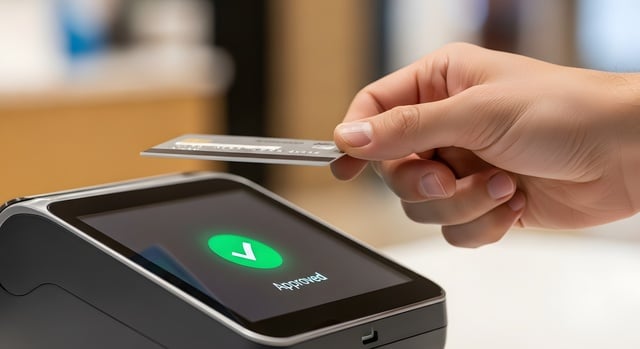
The reader has one job: turn a card into an approved charge. Everything else, the receipts, the reports, the customer list, happens in software you already carry. I would pick a reader over a full terminal for any business under about fifteen card swipes a day. Above that, the countertop unit starts earning its place because the speed and the built-in receipt matter at volume.
Think about your actual counter. If you’re taking payments from a folding table, a truck window, or a client’s driveway, a terminal needs power, a stable spot, and someone watching it. A reader fits in an apron pocket. That’s the whole argument.
The Sixty-Day Route Test
Here’s the framework I use, and it comes from watching too many owners guess wrong. For the first sixty days, treat every payment as data. Keep a simple tally with four columns: date, amount, how the customer paid, and where you were standing when they paid. No spreadsheet software, no dashboard exports. A notebook works and honestly holds up better than most apps at this stage.
Most owners guess their split wrong. The restaurant owner thinks most of her money is walk-in, then discovers the phone orders and the catering deposits carry the month. The landscaper assumes checks, then sees the younger clients all want to tap a card at the curb. I’ve been surprised by this in my own work more than once. The tally doesn’t care about your assumptions.
At day sixty, look at the columns and the decision makes itself:
- Cards mostly in person, low volume: keep the cheap reader and stop reading hardware reviews.
- Cards mostly in person, steady volume: a countertop terminal with a printed receipt is worth the upgrade.
- Cards often by phone or message: the device barely matters, so put the budget into a virtual terminal and invoicing instead.
- Cards mostly online: skip hardware almost entirely and think about your checkout page.
Two columns usually dominate. Which two determines what you buy next, and nothing you read online can guess that for you.
Four traps that catch first-time buyers
The first trap is a long contract on hardware. A multi-year lease on a terminal ties you to a device that will feel old in eighteen months. Buy outright or rent month to month whenever you can. The Consumer Financial Protection Bureau publishes plain-language guidance on payment and credit products, and it’s a decent place to remind yourself what you’re signing.
The second trap is buying a terminal whose app only half works. The device is cheap compared to the software. If the reader pairs with a clunky app that buries your reports three taps deep, you’ll stop using the reports, and then you’re flying blind on fees. Check the app first, then the hardware.
The third trap is choosing a machine that can’t grow. If you plan to add a second location or a second employee at the counter, check whether your provider lets you add users or devices without a whole new contract. Ask that question before you pay, not after.
The fourth trap is ignoring how you’ll handle a refund or a chargeback at 9 p.m. on a Saturday. A cheap reader with a good app usually walks you through it. A fancy terminal from a provider with no after-hours support leaves you stuck. Read the support pages before you buy anything.
What to compare when you finally upgrade
When you do move up, compare four things, in this order. First, the monthly fee and the per-transaction rate. Second, who handles support and when. Third, whether the app handles your invoicing and customer records. Fourth, the hardware itself. Notice the hardware is last. That’s not an accident.
Small businesses make up the overwhelming majority of firms in this country, according to the Census Bureau, and most of them run on thin margins where a monthly fee is real money. A terminal that costs an extra twenty dollars a month is two hundred and forty dollars a year. That pays for a lot of reader replacements.
| Decision point | Cheap reader | Countertop terminal
|
| Up-front cost | Low | Higher |
| Best volume | Low to moderate | Steady and higher |
| Mobility | Fits in a pocket | Fixed to a counter |
| Receipts | Digital mostly | Printed on the spot |
| Upgrade path | Add a terminal later | Add second unit or users |
If you’re stuck between the two, buy the reader and give yourself ninety days. You can always add a terminal, and the reader becomes your backup device for markets, pop-ups, and the day the main unit dies. That backup is worth having anyway.
Let the tally pick your hardware
Counting words in this piece won’t tell you what to buy. The tally from your first sixty days will. Write down four columns, watch where the cards actually land, and then buy the machine that matches what you saw. This approach to small business credit card processing saves the up-front cash and puts it where it matters, in fees you understand and software that actually gets used.
A final note for the owners in states where small firms dominate the local economy, which the Small Business Administration tracks closely: your local chamber or small business development center often has a free review of payment contracts. That ten-minute conversation has saved more owners than any device review ever will.
So here’s your question for this week. If you had to name the one place most of your card money lands, would you be right? Write it down, then go count. The gap between the guess and the tally is the most valuable number you’ll find this quarter, and it’s free.
Disclaimer
Artificial Intelligence Disclosure & Legal Disclaimer
AI Content Policy.
To provide our readers with timely and comprehensive coverage, South Florida Reporter uses artificial intelligence (AI) to assist in producing certain articles and visual content.
Articles: AI may be used to assist in research, structural drafting, or data analysis. All AI-assisted text is reviewed and edited by our team to ensure accuracy and adherence to our editorial standards.
Images: Any imagery generated or significantly altered by AI is clearly marked with a disclaimer or watermark to distinguish it from traditional photography or editorial illustrations.
General Disclaimer
The information contained in South Florida Reporter is for general information purposes only.
South Florida Reporter assumes no responsibility for errors or omissions in the contents of the Service. In no event shall South Florida Reporter be liable for any special, direct, indirect, consequential, or incidental damages or any damages whatsoever, whether in an action of contract, negligence or other tort, arising out of or in connection with the use of the Service or the contents of the Service.
The Company reserves the right to make additions, deletions, or modifications to the contents of the Service at any time without prior notice. The Company does not warrant that the Service is free of viruses or other harmful components.