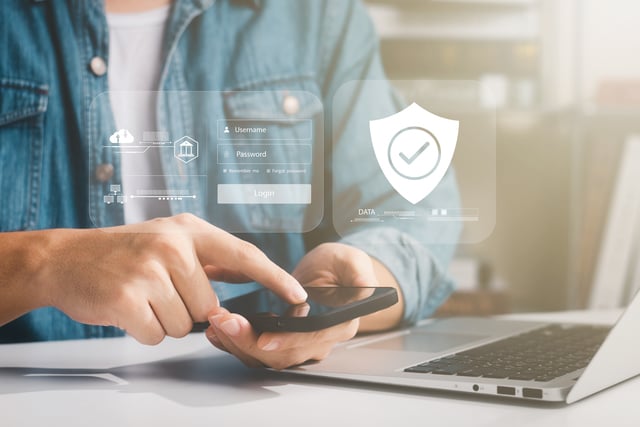
The modern digital footprint is massive, often sprawling far beyond what any single person can realistically track. It isn’t just about active logins. It is a collection of artifacts: banking apps, work software, retail sites from years ago, and streaming services long since abandoned. This connectivity creates convenience, yet it simultaneously carves out a significant security gap. Digital hygiene shouldn’t be treated as abstract advice for IT professionals; it is a baseline necessity for functioning online. Without active maintenance, the transition from “safe” to “compromised” happens rapidly.
Common Risks of Poor Account Management
Complacency remains the biggest liability. The habit of recycling passwords across multiple platforms is a gift to attackers, effectively setting off a domino effect. If one minor site leaks its database, those credentials become keys to the kingdom. Hackers immediately rotate them against high-stakes targets like primary email or financial accounts. Credential stuffing thrives purely on that common impulse, the tendency to choose the path of least resistance rather than the path of security.
Zombie accounts are a massive security blind spot. Think of the random profiles created just to snag a promo code or enter a contest, then abandoned. These accounts don’t just disappear; they sit there, unmonitored, gathering digital dust. That’s exactly what hackers look for. A breach can sit completely unnoticed for months, and by the time it’s caught, the damage is already done.
Practical Steps to Secure Online Accounts
Online security doesn’t require a degree in computer science. Forget the tech-bro jargon; it really just boils down to a few basic habits.

Multi-factor authentication (MFA) is the absolute baseline. Think of it as a physical key for your digital life. Turning it on forces a secondary check, usually a quick code on a phone, that kills almost every automated bot attack in its tracks. CISA, the federal agency that handles infrastructure, isn’t exaggerating when they call this the single most important thing anyone can do for their accounts.
Passwords are honestly outdated. Instead of trying to come up with one complex string, use a passphrase. String together four or five completely random words. It’s annoying for bots to guess, but for a human? It’s actually easy to remember.
Tools for Managing Credentials Efficiently
Trying to memorize passwords is a losing game. With so many accounts to track, human memory eventually fails. Password managers are the answer. They serve as a secure, digital vault that generates and auto-fills complex passwords, ensuring every account is locked down tight without the mental strain.
The digital ecosystem is vast, from e-commerce leaders like Amazon to streaming services like Netflix and online gaming and casino platforms like Jackpot City. The volume of platforms makes manual management impossible. Using a password manager ensures that every account has its own unique password, removing the temptation to reuse credentials. Integrating this into your daily workflow keeps the login process seamless while providing top-tier security.
Building Long-Term Digital Habits
People tend to treat digital security as a one-and-done setup, but in reality, it is a continuous cycle. It’s much closer to home maintenance; you wouldn’t just ignore a broken smoke detector, right? As experts from MDL Technology point out, a single “security push” won’t hold up over time because threats evolve daily; instead, security must be built into your routine through steady procedures.
The Federal Trade Commission (FTC) pushes for a quarterly audit, and it’s a solid strategy to follow. Start by auditing permissions. Scan through the apps currently synced to email or social media accounts, and if there’s anything sitting idle, just cut the connection. Next, look at software updates. Those nagging pop-ups usually contain the critical security patches needed to lock out bad actors. Finally, double-check recovery info. A forgotten phone number or a defunct email address makes it nearly impossible to regain access if an account ever gets locked.
Disclaimer
Artificial Intelligence Disclosure & Legal Disclaimer
AI Content Policy.
To provide our readers with timely and comprehensive coverage, South Florida Reporter uses artificial intelligence (AI) to assist in producing certain articles and visual content.
Articles: AI may be used to assist in research, structural drafting, or data analysis. All AI-assisted text is reviewed and edited by our team to ensure accuracy and adherence to our editorial standards.
Images: Any imagery generated or significantly altered by AI is clearly marked with a disclaimer or watermark to distinguish it from traditional photography or editorial illustrations.
General Disclaimer
The information contained in South Florida Reporter is for general information purposes only.
South Florida Reporter assumes no responsibility for errors or omissions in the contents of the Service. In no event shall South Florida Reporter be liable for any special, direct, indirect, consequential, or incidental damages or any damages whatsoever, whether in an action of contract, negligence or other tort, arising out of or in connection with the use of the Service or the contents of the Service.
The Company reserves the right to make additions, deletions, or modifications to the contents of the Service at any time without prior notice. The Company does not warrant that the Service is free of viruses or other harmful components.