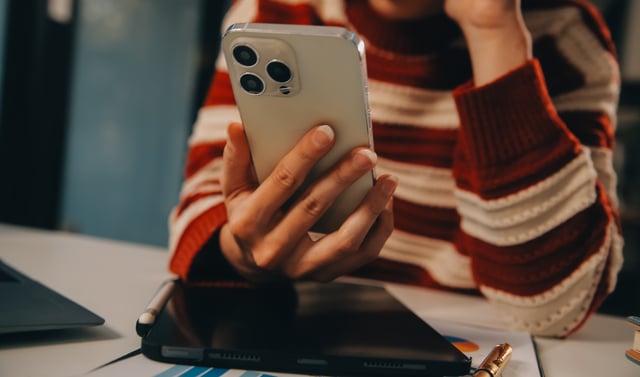
In an era where digital connectivity is as essential as the air we breathe, the threats targeting our most personal devices are becoming increasingly sophisticated. On April 8, 2026, Apple issued a stark warning to its global user base of over 1.8 billion people: do not answer certain calls and texts that appear to be from official sources. This latest alert, highlighted in a significant report by Zak Doffman for Forbes, underscores a massive surge in “callback phishing” and “smishing” attacks that are specifically designed to drain bank accounts and compromise Apple IDs.
The New Face of Smishing in 2026
The warning from Cupertino comes as security researchers observe a “perfect storm” of fraudulent activity. While scam texts—or smishing—are not a new phenomenon, the level of personalization and high-pressure tactics used in the 2026 wave is unprecedented. As Forbes reported, “Apple Warns All iPhone Users—Do Not Answer These Calls And Texts,” citing a specific method in which criminals leverage Apple’s own services to bypass traditional security filters.
One of the most insidious methods involves the abuse of iCloud Calendar and Apple Pay. Scammers send calendar invites or official-looking texts claiming there has been a “suspicious Apple Pay charge” or an “unpaid road toll.” Because these notifications often originate from legitimate Apple servers or use official-sounding language, they frequently bypass spam filters that would catch standard “lottery winner” scams.
The Callback Trap: Why You Should Never Dial Back
A particularly dangerous trend identified this week is the “callback phishing” scam. In this scenario, a user receives a text or email—often appearing to be from Apple Support or a major financial institution—notifying them of a large, fraudulent transaction. Instead of providing a malicious link, the message provides a “support number” to call to dispute the charge.

When a victim calls the number, they are connected to a professional-sounding scammer posing as an official investigator. These actors use social engineering to convince the victim that their entire account is at risk. In one documented case, a victim was convinced to withdraw $15,000 from their bank to “protect” it, only to be stopped by a vigilant bank teller. Forbes notes that these criminals often insist the user “must act now” or “cannot hang up,” creating a sense of panic that overrides logical thinking.
The FBI’s Warning on “STOP” Replies
Adding to the complexity of the current threat landscape is a recent advisory from the FBI, which Apple has integrated into its broader security guidance. For years, users have been told to reply “STOP” to unwanted text messages to unsubscribe. However, law enforcement now warns that replying to a scam text—even with the word “STOP”—is a critical mistake.
Doing so confirms to the attacker that the phone number is active and that the user is responsive to messages. This “verification” of your number makes it a prime target for more aggressive, targeted attacks in the future. Apple is now advising users to use the built-in “Report Junk” feature rather than engaging with the sender in any way.
iOS 26: A Technological Shield on the Horizon
To combat these evolving threats, Apple is reportedly accelerating the release of security features in the upcoming iOS 26 update. Expected to debut later this month, the update will introduce a fundamental shift in how the Messages app handles communications.
The new system will automatically categorize incoming messages into four distinct folders:
- Known Senders: Contacts already in your address book.
- Unknown Senders: People you have not messaged before but who aren’t flagged as spam.
- Spam: Suspected fraudulent messages identified by Apple’s on-device AI.
- Recently Deleted: A safety net for recovered messages.
Critically, for any message filtered into the “Spam” folder, iOS 26 will disable all links and prevent the user from replying until the message is manually moved to the “Known” folder. This “friction by design” is intended to stop the reflexive clicking that leads to data theft.
[Image showing the new iOS 26 Messages app interface with categorized folders]
The Vulnerability of Cross-Platform Messaging
Another layer of risk involves the transition from SMS to RCS (Rich Communication Services). While Apple has adopted RCS to improve messaging with Android users, security experts warn that the encryption protocols between the two systems are not always seamless. The FBI has pointed out that while iMessage-to-iMessage communication is end-to-end encrypted, cross-platform texts can still be intercepted or spoofed more easily, making them a favorite tool for state-sponsored “mercenary spyware” actors.
Mercenary Spyware vs. Consumer Scams
While the Forbes warning focuses heavily on broad consumer scams, Apple also updated its documentation on “mercenary spyware” this week. These are highly sophisticated attacks, such as Pegasus, which are used to target specific individuals like journalists and politicians.
Apple’s “Threat Notifications” are high-confidence alerts sent to users who may have been targeted by such attacks. Apple clarifies that these notifications will never ask you to click a link, open a file, or provide your password. If you receive a message asking for such details, it is a scam, not an official threat notification. To verify a genuine alert, users should log in directly to account.apple.com.
Red Flags: How to Protect Your iPhone
In light of the April 2026 warnings, security firms like CyberSmart and KnowBe4 have outlined several “red flags” that every iPhone user should memorize:
- Unexpected Urgency: Messages that demand immediate action or claim your account will be deleted within hours.
- Requests for Security Codes: Apple will never ask for your two-factor authentication (2FA) code over the phone or via text.
- Instructions to Move Money: No legitimate tech company will ever ask you to move money to a “safe account” or purchase gift cards.
- Strange Links or Numbers: Always verify the sender’s email address or phone number. Scammers often use “lookalike” domains (e.g.,
apple-support-security.cominstead ofapple.com).
Conclusion: The Price of Convenience
As Apple Pay grows to serve nearly a billion people, the platform becomes an increasingly attractive target for the world’s most sophisticated fraudsters. The warning issued on April 8 serves as a reminder that security is a shared responsibility. While Apple continues to build “hardened” software like Lockdown Mode and the upcoming iOS 26 filtering, the final line of defense is the user’s own finger.
“Don’t be a victim,” the NSA recently echoed in a separate but related warning. “If you didn’t expect the call, and you didn’t expect the text, don’t answer it.” In the digital landscape of 2026, silence truly is golden.
Sources Used and Links:
- Forbes: Apple Warns All iPhone Users—Do Not Answer These Calls And Texts
- UNILAD: Experts issue warning to all iPhone users over Apple Pay scam that is draining bank accounts
- Apple Support: About Apple threat notifications and protecting against mercenary spyware
- MacRumors: Anthropic’s AI to Help Apple Find iOS, macOS, and Safari Vulnerabilities
- The Star: Apple warns all iPhone users to delete and ignore these messages right away
Disclaimer
Artificial Intelligence Disclosure & Legal Disclaimer
AI Content Policy.
To provide our readers with timely and comprehensive coverage, South Florida Reporter uses artificial intelligence (AI) to assist in producing certain articles and visual content.
Articles: AI may be used to assist in research, structural drafting, or data analysis. All AI-assisted text is reviewed and edited by our team to ensure accuracy and adherence to our editorial standards.
Images: Any imagery generated or significantly altered by AI is clearly marked with a disclaimer or watermark to distinguish it from traditional photography or editorial illustrations.
General Disclaimer
The information contained in South Florida Reporter is for general information purposes only.
South Florida Reporter assumes no responsibility for errors or omissions in the contents of the Service. In no event shall South Florida Reporter be liable for any special, direct, indirect, consequential, or incidental damages or any damages whatsoever, whether in an action of contract, negligence or other tort, arising out of or in connection with the use of the Service or the contents of the Service.
The Company reserves the right to make additions, deletions, or modifications to the contents of the Service at any time without prior notice. The Company does not warrant that the Service is free of viruses or other harmful components.