We have all been there. You are standing in the airport security line, shuffling your feet forward every few seconds. You are trying to balance a half-empty bottle of water, drag a carry-on suitcase with one hand, and fish out your physical driver’s license or passport with the other. Just when you think you are ready, the TSA officer asks you to step up, scan your boarding pass, and hand over your ID. It is a minor source of friction, but when you are running late for a flight, it feels like an Olympic sport.
If you are an Android user with a TSA PreCheck membership, that stressful ritual is officially a thing of the past. Thanks to a major rollout, you can now breeze through security checkpoints at dozens of major airports across the country without ever taking your physical ID out of your pocket or even opening a boarding pass on your phone screen.
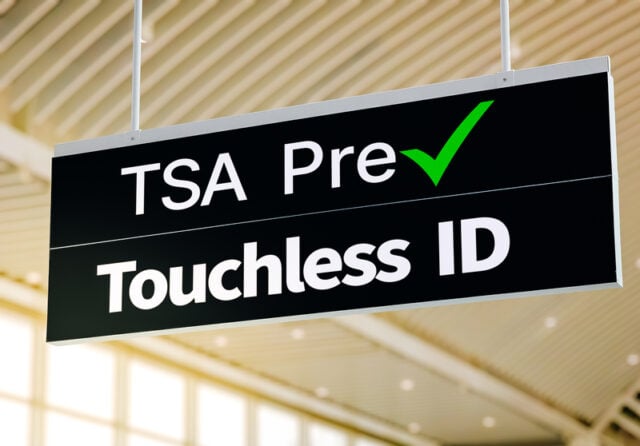
Welcome to the era of TSA PreCheck Touchless ID powered by Google Wallet. Your face is now your ticket through the checkpoint.
What is TSA PreCheck Touchless ID?
If you already have TSA PreCheck, you know how much of a lifesaver it is. Keeping your shoes on, leaving your laptop in your bag, and using a fast-track line significantly reduce security wait times. In fact, according to the TSA, the vast majority of PreCheck passengers wait less than 5 minutes.

But Touchless ID takes that convenience and upgrades it to first class. Instead of a TSA officer manually checking your physical photo ID or mobile driver’s license, the system utilizes secure facial comparison technology.
When you approach the dedicated TSA PreCheck Touchless ID lane, you simply look into a high-tech biometric camera at the podium. The camera snaps a quick photo and matches it against encrypted digital credentials previously verified by the government. Within a split second, the system confirms who you are and that you have a valid flight booked for that day. The gate opens, the officer waves you through, and you are on your way to the baggage scanners. No paper, no plastic, no friction.
The Google Wallet Game-Changer
While Touchless ID technology has been quietly expanding over the last couple of years, it previously suffered from a pretty annoying limitation: it was fragmented. To use it, you had to manually upload your passport details and opt in to the biometric program in individual airline apps, such as Delta, United, or American Airlines. If you flew with multiple carriers, you had to repeat the digital onboarding process over and over.
Google Wallet completely shatters that barrier. As the very first digital wallet platform to deeply integrate directly with the TSA’s Touchless ID program, Google allows you to complete a single, universal setup.
Once your digital identity pass is created inside Google Wallet on your Android device, it acts as a secure master key. It does not matter which of the nearly 100 TSA PreCheck-supported airlines you are flying with on any given day. As long as you check in for your flight and save your boarding pass to your Google Wallet, you can instantly opt into Touchless ID for that trip with a single tap.
How to Set It Up on Your Android Phone
Getting this system ready before your next big trip only takes a couple of minutes. Because the technology relies on verifiable government data, you will need a valid U.S. passport to activate your master digital ID pass.
Here is exactly how to get it done:
Once you complete those steps, a specialized TSA PreCheck Touchless ID indicator badge will appear directly on your digital boarding pass. That is your green light. When you arrive at the terminal, skip the standard PreCheck queue and head straight for the dedicated Touchless ID lane.
What About Your Privacy?
It is completely natural to feel a bit skeptical whenever “facial recognition” or “biometrics” enter a conversation about public spaces. However, the TSA and Google have built this system from the ground up with strict privacy guardrails to protect your personal information.
First and foremost, the program is strictly voluntary. If you ever change your mind or feel uncomfortable using the biometric lane on a specific day, you can simply notify the TSA officer at the podium. You will not lose your spot in line; the officer will just verify your identity the old-fashioned way using your physical photo ID.
Furthermore, the data architecture is designed around minimal retention:
Data Isolation Rule: The digital ID stored in your Google Wallet is fully encrypted and remains entirely on your physical device. It is only accessible when you explicitly unlock your phone using your biometric print, PIN, or pattern.
When you step up to the airport camera, the real-time photo taken by the TSA is used solely for instant verification. Under standard operating protocols, the TSA deletes your checkpoint photograph and associated flight data within 24 hours of your scheduled departure time. The images are never stored for long-term surveillance, tracking, or law enforcement databases.
Where Can You Use It?
The network is expanding rapidly. The TSA PreCheck Touchless ID infrastructure is currently active at 65 major airports nationwide, including heavily trafficked hubs such as Atlanta (ATL), Los Angeles (LAX), New York (JFK), Miami (MIA), and Austin (AUS).
Because the system is still rolling out to various terminals and specific gates, it is always a smart idea to keep your physical driver’s license or passport safely tucked away in your carry-on bag just in case you hit a checkpoint that hasn’t been upgraded yet. But for the terminals that do have it, Android users are reporting an incredibly fast, frictionless path to the gates. It is a small software update that delivers a massive upgrade to the reality of modern travel.
Sources and Links:
- Transportation Security Administration (TSA) Official Site: TSA PreCheck Touchless ID Program Overview
- Google Official Blog (The Keyword): Google Wallet Adds TSA PreCheck Touchless ID Integration
- Simple Flying Travel News: TSA PreCheck Touchless ID Gets Major Expansion With New Google Wallet Option
- The Points Guy (TPG): TSA PreCheck Touchless ID Now Easier to Use Thanks to Google Wallet
- Matador Network: TSA Airport Lines Are About to Get Quicker for Android Phone Users
- Lifehacker: How to Use Touchless ID With Google Wallet at TSA PreCheck
- TSA Digital Identity Portal: Digital Identity and Facial Comparison Technology Guidelines
Disclaimer
Artificial Intelligence Disclosure & Legal Disclaimer
AI Content Policy.
To provide our readers with timely and comprehensive coverage, South Florida Reporter uses artificial intelligence (AI) to assist in producing certain articles and visual content.
Articles: AI may be used to assist in research, structural drafting, or data analysis. All AI-assisted text is reviewed and edited by our team to ensure accuracy and adherence to our editorial standards.
Images: Any imagery generated or significantly altered by AI is clearly marked with a disclaimer or watermark to distinguish it from traditional photography or editorial illustrations.
General Disclaimer
The information contained in South Florida Reporter is for general information purposes only.
South Florida Reporter assumes no responsibility for errors or omissions in the contents of the Service. In no event shall South Florida Reporter be liable for any special, direct, indirect, consequential, or incidental damages or any damages whatsoever, whether in an action of contract, negligence or other tort, arising out of or in connection with the use of the Service or the contents of the Service.
The Company reserves the right to make additions, deletions, or modifications to the contents of the Service at any time without prior notice. The Company does not warrant that the Service is free of viruses or other harmful components.