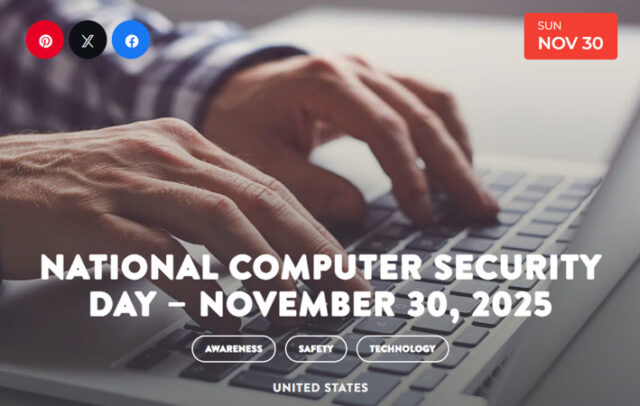
Computer Security Day on November 30th reminds us to protect our computers. Every day, computers become faster and more advanced. Protecting the resources, tools, and information on them protects the people who use them, too.
- 1988 – Computer Security Day began around the time computers were becoming commonplace, though they were not yet ubiquitous in homes.
- 1988 – On November 2, 1988, Cornell University researchers uncovered an unknown virus lurking in their computer systems. Within four hours of discovery, the “Morris worm” virus infected several other university systems and the ARPANET, an early version of today’s internet.
- 2003 – The Computer Emergency Response Team (CERT) and the U.S. Department of Homeland Security work together to create the National Cyber Awareness System.
- 2013 – Cryptolocker released a form of malware that could not be removed without the victim paying a “ransom” which may or may not restore any lost files.
- 2013 – 3 billion Yahoo accounts were hacked in one of the biggest breaches of all time.
- 2017 – The Wannacry malware spreads worldwide, kicking hundreds of hospitals offline throughout the United Kingdom.
- 2017 – 70% — the percentage of organizations that believe their security risk increased significantly in 2017.
- 2017 – The number of cyber attacks is going UP not down. Though white hat hackers continue to improve, the total number of cyber-attacks doubled in 2017. That’s according to the Online Trust Alliance (OTA), which has named 2017 “the worst year ever in data breaches and cyber-incidents around the world.”
- 2017 – 91% of cyber attacks in 2017 started with a phishing email.
- 2017 – 600% — the percentage increase in IoT attacks in 2017.
- 2017 – 61% — the percentage of businesses breached in 2017 with under 1,000 employees.
- 2018 – 62% of businesses experienced phishing and social engineering attacks.
- 2018 – Security breaches have increased by 11% since 2018 and 67% since 2014.
- 2018 – 80,000 — the number of cyberattacks per day in 2018.
- 2020 – The U.S. was the target of 46 percent of cyberattacks in 2020, more than double any other country.
- 2021 – Cybercrime damages cost the world $6 trillion annually by 2021, up from $3 trillion just a year ago.
- 2022 – the Federal Trade Commission received more than 1.1 million reports of identity theft
- 2022 – 97 percent of organizations have seen an increase in cyber threats since the start of the Russia-Ukraine war in 2022.
- 2022 – Over 24 billion passwords were exposed by hackers in 2022, and 64 percent of passwords only contain eight to 11 characters.
- 2023 – Security breaches saw a 72 percent increase from 2021, which held the previous all-time record.
- 2023 – Incidents aimed at cryptocurrency firms surged by a staggering 600% in the first quarter of 2023, coinciding with a notable 15% upswing in HTTP DDoS attacks.
- 2024 – The average cost of a data breach was $4.88 million in 2024, the highest average on record.
- 2024 – Over 560 million Ticketmaster customers had their information stolen in a 2024 breach
- 88% of cybersecurity breaches are caused by human error.
- 21% — the percentage of all files that are not protected in any way.
- 41% — the percentage of companies with over a thousand sensitive files left unprotected.
- 69% — the percentage of organizations that don’t believe computer security threats can be blocked by anti-virus software.
- 50% — the percentage of security risk that stems from having multiple security vendors and products.
- 56% – the number of Americans who don’t know what steps to take in the event of a data breach.
- 57% – of organizations see weekly or daily phishing attempts.
- 65% — the percentage of companies that have over 500 users who are never prompted to change their passwords.
- 350% — the percentage growth of Ransomware attacks.
- $17,700 is lost every minute due to a phishing attack.
- One crucial step for your online security is to use strong, regularly updated passwords, as this reduces the risk of your personal data falling into the wrong hands.
- Since COVID-19, the US FBI has reported a 300% increase in reported cybercrimes
- More than 93% of healthcare organizations have experienced a data breach over the past three years
- Most companies take six months to detect a data breach.
- Financial organizations are the biggest targets of cyber attacks.
- Mortgage companies are the #1 target in the industry because of the treasure trove of information that they require from customers.
- 93% of breaches could have been avoided by taking simple steps, such as regularly updating software or leveraging modern cloud-based solutions.
- Only 5% of companies’ folders are properly protected, on average.
- Between January 1, 2005 and April 18, 2018 there have been 8,854 recorded breaches.
- Hackers attack every 39 seconds, on average 2,244 times a day.
- 64% of Americans have never checked to see if they were affected by a data breach.
- 56% of Americans don’t know what steps to take in the event of a data breach.
- 43% of cyber attacks target small businesses
- Large-scale, well-publicized breaches are on the rise, suggesting that not only are the number of security breaches going up — they’re increasing in severity, as well.
Use the checklist below to secure your computer. It’s essential to review your computer’s security regularly. If you use social media, it’s a good time to review your settings. Social media is another way in which identity thieves, viruses, and computer fraud are committed. Please spread the word on social media using #ComputerSecurityDay to help others secure their data!
- Enable Windows Update.
- Install and keep running antivirus software.
- Turn on Windows Firewall.
- Keep all software updated.
- Always use strong passwords.
- Don’t share passwords and don’t write them down.
- A password is required to access my computer.
- Remove unused programs.
- Secure your wireless network.
- Back up critical data.
- Use caution when browsing the Internet.
- I log off the computer when I’m not using it.
- My web browser does not store or remember my passwords.
- Periodically remove temporary Internet files.
Sources:

Cybint Solutions
Disclaimer
Artificial Intelligence Disclosure & Legal Disclaimer
AI Content Policy.
To provide our readers with timely and comprehensive coverage, South Florida Reporter uses artificial intelligence (AI) to assist in producing certain articles and visual content.
Articles: AI may be used to assist in research, structural drafting, or data analysis. All AI-assisted text is reviewed and edited by our team to ensure accuracy and adherence to our editorial standards.
Images: Any imagery generated or significantly altered by AI is clearly marked with a disclaimer or watermark to distinguish it from traditional photography or editorial illustrations.
General Disclaimer
The information contained in South Florida Reporter is for general information purposes only.
South Florida Reporter assumes no responsibility for errors or omissions in the contents of the Service. In no event shall South Florida Reporter be liable for any special, direct, indirect, consequential, or incidental damages or any damages whatsoever, whether in an action of contract, negligence or other tort, arising out of or in connection with the use of the Service or the contents of the Service.
The Company reserves the right to make additions, deletions, or modifications to the contents of the Service at any time without prior notice. The Company does not warrant that the Service is free of viruses or other harmful components.